
Travel Accessories Logo: Spot Good Gear Before You Buy
A polished travel accessories logo does not prove that a product deserves your money. A clean compass, mountain, passport, or airplane mark can sit on excellent gear, cheap copies, or a product that solves a problem you do not have. After years of buying, returning, and carrying travel gear through airports, I use the logo as a starting clue, then check the design, specifications, warranty, and real travel use.
What a travel accessories logo should tell you
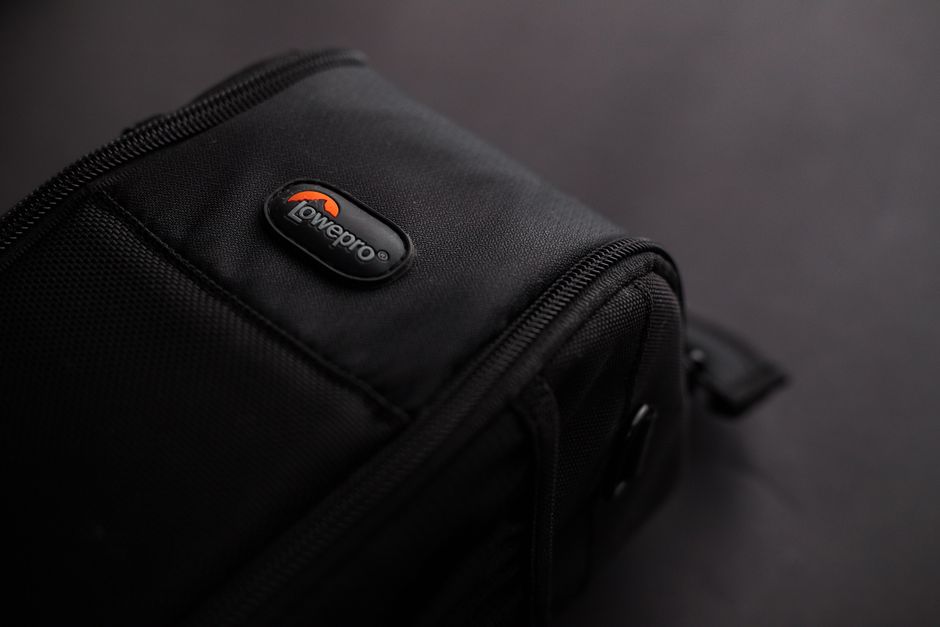
The best travel accessories logo communicates a clear promise in a second: compact storage, reliable protection, easy movement, or comfort on a long journey. It should help you understand the brand’s point of view, not distract you with decoration. My verdict is simple: treat the logo as a signal of focus, never as proof of quality.
The logo is a clue, not proof
A serious travel brand usually connects its visual identity to a narrow product idea. A luggage company may use a restrained mark because its value comes from shell strength, wheel repair, and airline sizing. An organizer brand may use brighter colors because quick identification matters inside a crowded suitcase. Neither style guarantees better construction. The useful question is what the company explains underneath the logo. Can you find fabric weight, dimensions, load limits, cleaning instructions, and a return policy? If those details are missing, the mark is doing too much of the selling.
Read the system around the mark
Look for consistent product names, model numbers, support contact details, and a warranty that uses plain language. A trustworthy logo normally appears beside measurable claims rather than vague words such as premium or adventure-ready. I also check product photos for the same stitching, zippers, labels, and color treatment across the brand site. Inconsistent images often point to marketplace resellers or copied listings. The logo earns trust only when the surrounding information survives inspection.
How to read a logo before buying travel gear
Do not make the logo your first filter. Use it after you define the travel problem, because the wrong accessory can add weight and clutter even when the brand is respected.
Use this 60-second check
- Name the problem: decide if you need faster packing, device power, item tracking, sleep support, or a smaller bag.
- Measure the limit: check airline dimensions, suitcase space, battery rules, or the size of the object the accessory must hold.
- Find one hard specification: look for litres, grams, wattage, ports, fabric denier, battery type, or packed dimensions.
- Check the failure point: inspect the zipper, buckle, cable, clasp, wheel, seam, or adhesive instead of staring at the front label.
- Verify the seller: compare the logo, model name, warranty, and return terms with the manufacturer’s own listing.
Reject the purchase if the product has a stylish mark but no model number, no usable dimensions, or no clear route for a refund. That rule has saved me more money than any discount code.
Which travel accessory deserves your money first?
Buy the accessory that removes the most friction from your actual trip. My ranking favors compact items that solve a repeated problem without forcing you to carry a second bag.
My practical shortlist
| Accessory | Useful specification | Listed price | My verdict |
|---|---|---|---|
| Eagle Creek Pack-It Reveal Cube Set | Three visible, structured packing cubes; recycled, water-resistant fabric | $59 | Best first buy for suitcase organization |
| Anker 737 Power Bank | 24,000mAh, 140W maximum output, two USB-C ports and one USB-A port | $109.99 | Best for laptops and several devices |
| Apple AirTag | One-pack price of $29; four-pack price of $99; works with Find My | $29 | Best for checked bags and keys |
| Cabeau Evolution S3 | Memory foam support, seat strap, washable cover, case compresses the pillow to one-third size | $39.99 | Best for long flights if you tolerate a firm pillow |
Start with the Eagle Creek set if your main problem is suitcase chaos. Choose the Anker 737 only if you carry a laptop or several power-hungry devices; it is heavy overkill for a phone-only trip. The AirTag is inexpensive insurance, while the Cabeau earns its space on overnight flights rather than short hops.
How to turn the logo into a packing system
A travel accessory works best when it has a fixed place and a fixed job. The first-principles problem is not owning too little gear; it is wasting time searching through a mixed pile of cables, clothes, documents, and toiletries. A good system reduces decisions at the moments when you are tired, late, or standing in a security line.
Pack by action, not by object
Use one zone for items you need during transit, one for clothing, one for dirty laundry, and one for electronics. The Eagle Creek Pack-It Reveal Cube Set is useful here because the mesh tops let you identify contents without opening every cube. I place socks and underwear in the smallest cube, daily clothing in the small or medium cube, and a spare outfit in a separate section. The logo matters less than the repeatable layout. If you change the layout on every trip, the accessory loses its main benefit.
Test the system before leaving home
Load the bag, weigh it, and remove anything that has no job during the journey. Put the Apple AirTag inside the checked suitcase or attach it to a protected internal loop, then confirm that the Find My app detects it before you leave. Charge the Anker 737 Power Bank and test the cable with the device you plan to use. If you carry the Cabeau Evolution S3, compress it in its case and confirm that the case has a reachable attachment point. A ten-minute home test catches missing cables, dead batteries, and awkward straps before they become airport problems.
The winning setup is the one you can reset quickly after a hotel night: every item returns to the same pocket, cube, or pouch.
When a famous logo is the wrong choice
The logo cannot fix a poor fit
Do not buy a respected travel backpack if its shoulder straps rub your neck, its laptop compartment steals space from your clothes, or its back panel makes you sweat after ten minutes, because a famous mark cannot change the way a badly fitted bag carries weight through a crowded station.
The logo cannot beat your local constraints
Do not buy a 24,000mAh power bank for a phone-only weekend, a full packing-cube system for a small personal item, or a bulky memory-foam pillow for a two-hour flight, since paying more for capacity you will not use turns a useful accessory into dead weight.
Choose an unbranded cable organizer when a simple pouch does the job, choose a basic luggage tag when you do not check bags, and choose a soft inflatable pillow when packed size matters more than firm neck support.
My verdict is to buy the cheaper alternative whenever it matches the required dimensions, materials, and warranty, because the logo should reward a product that fits your trip rather than pressure you into carrying a brand identity you never needed.
Travel accessories logo questions buyers ask

Does a recognizable logo mean the accessory is safer?
No. A recognizable mark may make support and replacement easier, but it does not confirm airline compliance, battery safety, data privacy, or product authenticity. For electronics, check the exact model and charging limits. For bags, check dimensions and construction. For trackers, understand the phone network and privacy alerts. A logo can help you locate the official seller; it cannot replace the specification sheet. My choice is to trust documented performance before visual familiarity.
Should a logo appear on the outside of every travel item?
No. Large exterior logos can make a bag easier to identify, but they can also advertise an expensive item in a busy terminal. I prefer small marks on backpacks, discreet labels on organizers, and a bright internal identifier that helps me find my own bag without making it look valuable. For checked luggage, add a plain contact card inside and a distinctive strap outside. The best logo placement improves identification without turning the accessory into a target.
My final travel-accessories logo test
Before I buy, I run one final test: remove the logo mentally and ask if the object still earns its place in my luggage. If the answer is no, I close the page.
Three minutes before checkout
- Write the exact travel problem in one sentence.
- Compare the product’s packed size and weight with your bag’s spare capacity.
- Match the model number to the manufacturer’s listing.
- Check the price against the feature that matters most, not the number of marketing claims.
- Read the return and warranty terms before paying.
The verdict I use on the road
For organized suitcase packing, I would buy the Eagle Creek Pack-It Reveal Cube Set; for laptop charging, the Anker 737 is the stronger choice; for locating checked luggage, Apple AirTag wins on price; and for firm sleep support on long flights, the Cabeau Evolution S3 earns its space. Those recommendations come from specific jobs, not attractive marks.
The single most important takeaway is this: a travel accessories logo should start your inspection, but measurable usefulness should finish the purchase.
Travel Photography Instagram Accounts Worth Following

Noise-Cancelling Headphones for Remote Work Travel: Sony vs Bose

Travel Photography Tripods: What Actually Matters Before You Buy
About The Author
